
Spot Gold Price Today | Historical Gold Price Charts and Investing Guide
Current Gold Spot Price Today
What is the current spot price of gold? The current value of gold can be found at the top of this page. Our 24 hour live gold spot price charts can help investors stay informed about the latest price movements of gold. This page is a reference to help investors understand gold’s spot price, how to buy gold, and more. Market movements for gold can be confusing, abrupt, and significant. Understanding a few key points about how gold’s spot price is determined can help investors better prepare for their next gold purchase.
Gold prices can change daily, so it’s good for investors to keep checking back as the current gold spot price changes. It’s also important to remember that gold is never sold at spot price; the current spot price of gold just represents how much a troy ounce of pure gold is worth on the open market. Gold coins and bars are sold at a premium over spot price.
How is Gold’s Spot Price Determined?
Exchanges use a combination of supply/demand dynamics and general economic key indicators to figure out the current spot price of gold. Like all investments, gold bullion’s value is based primarily off of supply and demand. During periods where investors are bullish on gold, demand spikes, resulting in higher prices. When gold stops being the target of major investors, demand decreases, which makes gold less valuable and lowers the gold spot price.
Supply can also play a role in determining gold’s spot price. Disruptions to mining operations or supply chain concerns can limit the total supply of gold bullion on the market. A lower supply of gold usually leads to higher gold spot prices, especially if demand remains constant. In a sense, gold’s spot price is a constant tug of war between supply and demand!
Another set of factors influence the current gold spot price: geopolitical conditions. These factors are a bit trickier to predict, but they play a crucial role in determining how much gold is worth. Gold and other precious metals are non-correlated safe haven assets, which means that they tend to perform well during periods of economic or geopolitical instability.
Currently, geopolitical concerns like wars in Gaza and Ukraine and economic strife like inflation in the United States may be driving gold spot prices higher. When investors are worried about the state of world affairs, they look to assets like gold as a way to shield their portfolios from economic, social, and political turmoil.
Why Are Gold Spot Prices so High Right Now?
Gold’s spot price tends to be highest during periods of distress in the traditional economy. Investors use gold in order to protect their portfolios from inflation, conflict, and recession. Historically, gold has been one of the best safe haven assets. Since 2022, the Russian invasion of Ukraine has pushed investors toward gold amid fears of global instability and market volatility. The late 2023 onset of the Israeli-Hamas war further proved the case for gold, as investors remain concerned that the two conflicts could cause a litany of negative impacts in the world economy.
Compounding the woes of gold bears is the possibility of lower Fed interest rates. The negative correlation between interest rates and gold spot prices is well-established among economists. When interest rates fall, gold prices tend to increase. Comments in early 2024 from Federal Reserve Chair Jerome Powell suggested that the Fed will likely lower interest rates sometime in 2024. Some of gold’s price movement is undoubtably tied to investor speculation that these interest rate cuts will happen sometime before June 2024.
Will Gold Spot Prices Go Higher?
For gold investors, timing is everything. The goal of any stacker is to buy gold when gold spot prices are low and to sell when the precious metal becomes more expensive. Are gold spot prices projected to increase in 2024? Experts are divided.
The main question for the gold market is whether or not interest rate cuts are truly coming this year. According to Federal Reserve Chair Jerome Powell, the Fed expects to cut rates sometime during 2024 – provided that economic signals remain promising. The gold market took a tumble in February after less-than-optimistic inflation rates suggested the economy might not be moving in the right direction. Gold market-maker CME Group estimates a 59.9% chance that the Fed will ease interest rates during their June 12 meeting. If this prediction comes true, it would likely push gold’s spot price past its current all time high.
Interest rates aren’t the only factor at play. Gold is influenced by a wide range of key economic indicators. Improvement in the general economy could turn investors away from safe haven gold bullion, which would in turn decrease gold spot prices.
For now, it’s unclear whether gold’s strong entry into 2024 will continue later into the year.
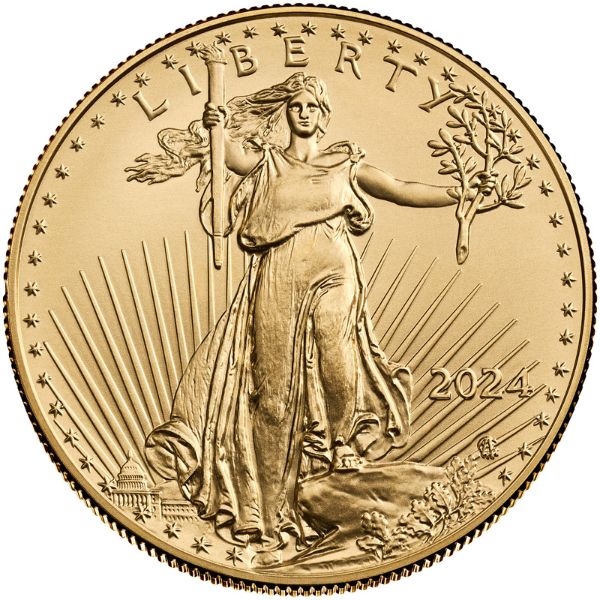
Buying Gold At Today’s Gold Spot Price
Even when gold prices are high, it’s not possible to buy gold bullion at spot price. Some dealers may offer competitive prices on gold coins and bars, but gold prices are always inflated by something called a premium. Precious metal premiums are small (or large) fees tacked onto the top of a gold product’s melt value. Because melt value is what the gold itself is worth inside of a gold coin or bar, this figure represents the price investors would pay if they were able to buy gold at exactly spot price.
Instead, all gold dealers determine the price of a gold coin by adding its melt value to some sort of gold premium. Some gold products have higher precious metal premiums than others. When gold spot prices fall, investors should try to find low premium gold coins and bars to buy the dip.
Why is Gold Sold For More Than Spot Price?
Gold’s spot price represents how much a single troy ounce of pure gold is worth. This figure can be useful for investors who want to buy gold while prices are low, but it doesn’t consider the cost of labor, production cost, and numismatic value of a gold coin or bar. To account for these variables, dealers charge a premium over melt value for every physical precious metal they sell. Buying a gold coin with a beautiful design means that an investor isn’t just getting gold. They’re also getting the coin’s artwork, rarity, and collectability.
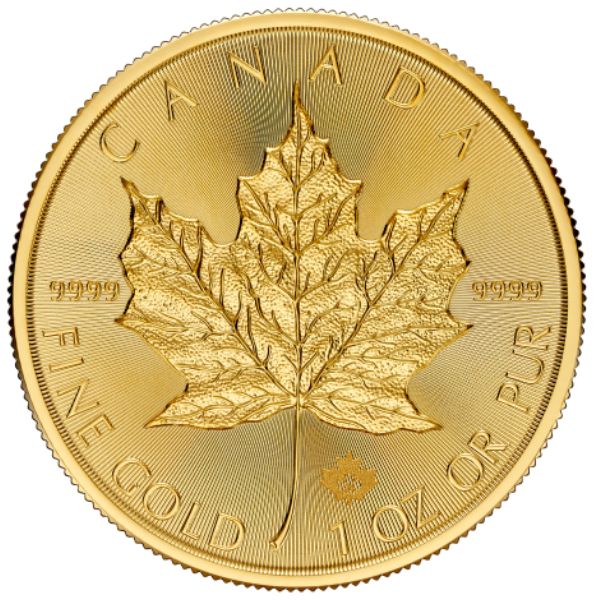
In other words, gold is sold for more than spot price because physical gold items require time, effort, and artistry to create. Some gold products come with higher premiums than others, often due to their rarity, beauty, or popularity.
Low Premium Gold
Especially when gold spot prices are high, investors tend to gravitate toward low premium gold coins and bars. To old-school gold stackers, premium costs are akin to throwing money down the drain. This isn’t exactly true. With the right popular gold coin or bar, investors can expect to recoup quite a bit of premium cost back once they sell their gold products.
It’s tough to find low premium gold coins because coins are exclusively produced by government mints. Investors looking for low premium gold should consider gold bars. Gold bars don’t feature the intricate designs or built-in collectability of gold coins, so gold bars are usually sold at relatively low premiums. Investors will never find gold bullion exactly at spot price, but low premium gold bars are popular instruments for collectors who want to start stacking gold without breaking the bank.
Gold Investing Strategy – Is Now a Good Time to Buy Gold?
Smart gold investors constantly reference the current gold spot price to know whether they should be buying more gold or selling part of their stack.
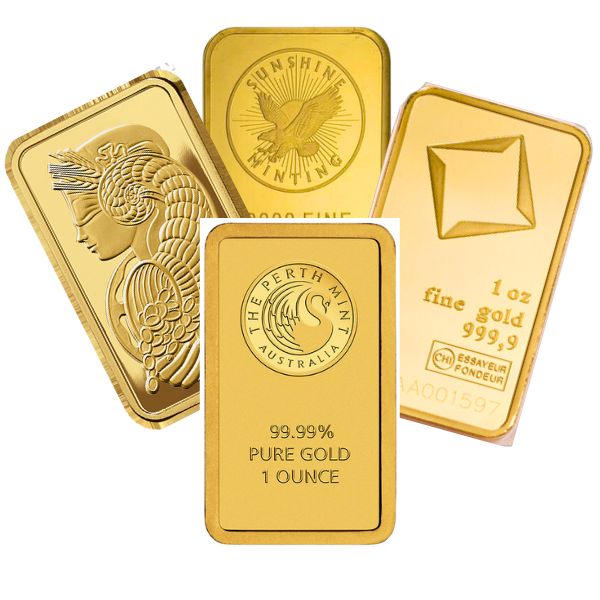
If you’re interested in investing in gold today, you should be aware of the current spot gold price. Some investors prefer to buy gold bullion after a “dip,” or a moment when the price of gold falls significantly for a brief period of time. Other investors use dollar-cost averaging as their primary investment strategy, buying the same dollar amount worth of gold consistently, regardless of price fluctuations. Regardless of your investment strategy or philosophy, understanding how spot gold prices function is the key to any long-term success in the bullion market.
How Much Gold Does Spot Price Refer To?
The spot price of gold is quoted in troy ounces. When investors read gold’s current spot price, they’re being quoted on how much a single troy ounce of gold bullion would be worth. Remember: gold coins and bars are sold for more than their melt value. To figure out the value of a gold coin or bar, investors need to first convert their precious metal product into troy ounces. After converting to troy ounces, the next step in determining the value of a gold product is to multiply its weight by the current spot price of gold. The resulting sum is the melt value of a gold coin or bar.
But melt value isn’t the only factor used to determine the market value of a gold coin or bar. Next, investors need to figure out how much of a premium is typically charged for their gold product. Certain rare, beautiful, or popular gold coins and bars are sold at exceptionally high premiums over spot price. Investors should consult coin pricing guides to get a better idea of the total value of their gold bullion coin or bar.
In short, the spot price for gold is always quoted in troy ounces. For investors wondering how much a gold coin is worth, converting to troy ounces and then determining premium fees is a good strategy for valuation.
Factors That Influence the Spot Price of Gold
A number of different factors can influence the price of gold. Speculation on the stock market, the discovery of new gold mining spots, current events and conflicts, and more. The price of gold really can change at a moment’s notice. A smart investor should always have the most up-to-date data on the price of gold as it climbs up and down. We’re here to keep you covered with the newest information available on the spot gold price charts.
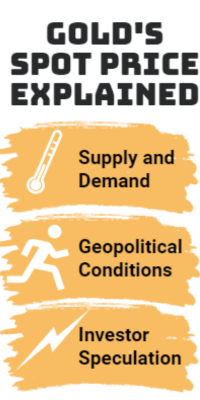
Supply and demand dynamics, geopolitical conditions, and investor speculation all play a role in determining the current spot price of gold. Investors who want to stay up-to-date on the latest gold prices should pay careful attention to global economic conditions. Gold tends to thrive in insecure environments because it functions as a safe haven asset.
What is Gold Spot Price Today?
The current spot gold price today is constantly changing, so you’ll want to check the top of this page for the most up-to-date spot gold price today. Like we explained above, the spot price of gold is malleable and changing constantly. Factors like market speculation, world events, and other things are always changing the price of gold. The spot gold price is a global quote; it should not change from country to country. An ounce of gold is worth the current spot price of the precious metal, regardless of where you plan on buying your gold.
Cost of Production – A Hidden Factor in Gold’s Price
Cost of production is a significant factor behind the price of a gold coin or bar. Gold’s spot price is primarily dependent on supply and demand, geopolitical conditions, and investor speculation. Gold bars and coins sell for more than spot price, though. The additional fee added to the melt value of a gold product is called a premium. One of the most important factors that contribute to a gold product’s premium is its cost of production.
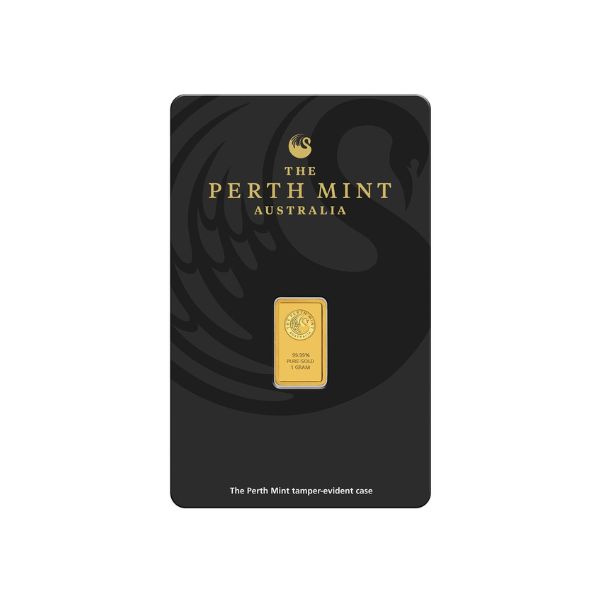
Gold coins cost more to produce than gold bars, so they are usually sold at a higher premium over spot price. The size of a gold item also influences how much of a premium investors are likely to pay. Generally, fractional gold is one of the most expensive ways to buy gold, despite lower total costs. Since it costs more to produce ten small gold products than one large one, the best discounts for gold are reserved for big investments.
How Often Does the Price of Gold Change?
If you’ve done any research on the spot gold price you might be wondering how often the spot price of gold changes? The answer is very often. Gold is shifting in price constantly, with most exchanges updating their spot gold prices multiple times throughout each day. Always check here before buying any new gold item for the latest updates on the spot price of gold today. Big world events and political decisions almost always have some sort of an impact on the spot gold price, so it’s important to be aware of what’s going on in the bullion market in order to make an informed purchasing decision.
How to Buy Gold at Spot Price
Is it possible to buy gold for spot price? Under normal circumstances, typically it is not possible to buy gold for spot gold price, unless an aggressive bullion dealer is running an absurd promotion. Most gold products are sold at some sort of premium over spot. If you want to buy gold at a price as close to spot as possible, consider purchasing either a gold ETF or gold bullion bars. Gold coins and rounds often come with large premiums over the spot gold price.
Does the Spot Gold Price Vary Between Payment Methods?
What about payment methods? Is the price of gold different if I pay by bank wire than if I pay by credit card? Technically the answer is no. With that said, Yes! It is more expensive to buy gold using a credit card than with a bank wire transfer. The spot gold price by and large is consistent no matter what payment method you choose, however there are additional fees associated with purchasing anything with a credit card no matter what you’re buying. Profit margins are so incredibly slim in the bullion industry, typically the 2-4% credit card fee that the merchant is charged is generally passed on to the consumer since bullion dealers usually make so little on bullion purchases in the first place.
Gold as an Investment
Gold is considered by most experts to be the most popular investment precious metals in the bullion sector. Gold has been traded globally as an investment since as early as 1970, but the precious metal has been considered valuable for thousands of years. In 2010, the value of the world’s reserves of gold amounted to over $63 trillion USD! Hundreds of exchanges all around the globe trade gold, as well as gold futures.
Why Invest in Gold Bullion?
There are a number of reasons why investors choose to put their money on gold bullion. One of the most popular uses of gold in the average portfolio is to hedge against risk. Over the past couple decades, the price of gold has risen relatively steadily. Gold is considered a low volatility asset, and its consistent rise in value is a massive tool for investors who want to mitigate the effects of fiat currency inflation. While the United States Dollar, the Great British Pound, and other currencies are likely to lose purchasing power over time due to inflation, gold experiences no such problem. Holding part of your portfolio in gold has long been recommended as a way to counter risk.
How to Start Buying Gold Bullion
You can invest in gold in several different ways. Buying gold bars minimizes the cost over the spot gold price of a given gold piece. Some consumers prefer to buy gold coins, rounds, or novelty items instead, which all come with their own advantages and disadvantages. Some investors even choose to buy jewelry in order to put their money on gold. We don’t recommend this strategy; gold jewelry is easy to find, but comes with high markups and a low resale value.
Find a Dealer
Finding a solid gold dealer can be tricky. We recommend that investors look for dealers with transparent prices, excellent customer support, and competitive premiums. Be sure to compare prices across multiple dealers before settling on which one you’d like to do business with. Local and online gold dealers are both great options for buying physical gold. Local dealers are the better call if you’re a fan of personal business dealings, rare or hard-to-find numismatic coins, or quick investment acquisition. Online dealers offer a larger inventory and might also provide better discounts than most local dealers.
Decide on the Best Gold Product to Buy
Different gold products are better for different investors. Gold coins offer numismatic value but are sold at higher premiums over spot price. Gold bars are usually cheaper to buy, but they also come with much lower premiums over spot price. Consider your own investment objectives and preferences before settling on the best type of gold to buy for you.
Popular Gold Products | How to Buy Physical Gold
Hero Bullion offers a long list of different gold products. We offer guides to some of these popular product types, including gold coins, 1 oz gold bars, and gold bullion rounds. Although gold futures and ETFs are popular ways that investors can profit from gold without actually holding the precious metal themselves, many investors prefer to put their money into the physical asset.
Advantages of Investing in Physical Gold Bullion
There’s clearly a few different advantages to physically holding gold. Some consumers believe that the world economy is heading for collapse or recession. If this is ever the case, having a solid stock of actual gold bullion is an extremely smart move. Physical bullion also means that investors claim 100% of the profit from their commodity as it appreciates in price. Futures, ETFs, and other non-possessive ways to invest in gold often come with additional fees and their own set of sky-high tax rates.
Read on for a breakdown of some of the most popular gold products available today.
Gold Coins
Gold coins have been a popular way to invest in gold for decades. The brilliant designs on these coins give them a unique collectable value. Especially if you plan on collecting gold for several years, starting a portfolio of pure gold coins is a great way to ensure a valuable and beautiful portfolio.
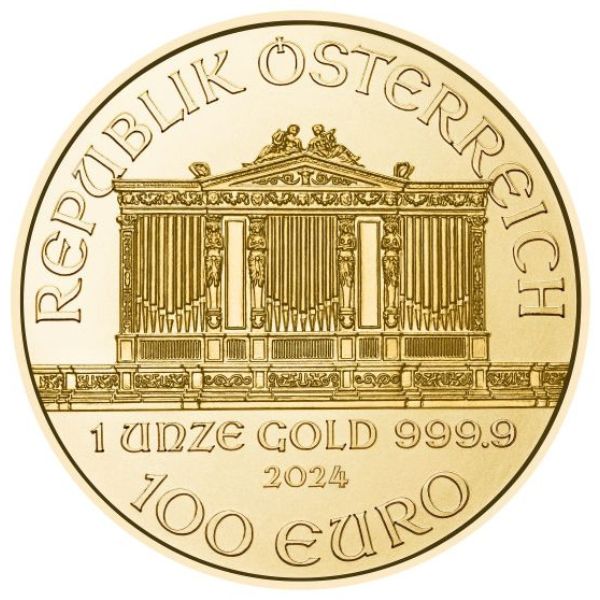
Some of the main advantages associated with gold coins:
- Intricate Designs. Gold coins are most often commissioned by federal governments. These government mints employ some of the best artists that the world has to offer. Coins like the American Gold Eagle, the Canadian Gold Maple, and the Gold Britannia have been appreciated for decades because of their incredible and intricately detailed designs.
- Collectable Value. Unlike gold bars, goldbacks or scrap gold bullion, gold coins maintain value outside of their physical gold content. Coins like the American Gold Eagle become more valuable as they age, because older coins eventually fall out of circulation. Putting together an entire collection of a given series can also help to offset the higher premium added to the initial cost of each individual coin.
Gold Coins are Backed By Sovereign Governments
Gold coins are backed by governments, so they often come with a face value. Does the face value of a gold coin affect its actual intrinsic value? Absolutely not. The only thing that this face value demonstrates is that a government supports its use as a form of currency; the gold value of the coin is determined by the global spot gold price.
Advantages to Buying Gold Bars
One downside of buying gold coins is that they often come with a relatively high premium over the spot gold price. Gold bars, on the other hand, are often minted with simple designs and sold at a price very close to spot. If you’re wondering “what types of gold bullion products have the lowest premium or dollar amount over the spot price of gold,” the answer is probably gold bars. This means that investors who want to maximize the amount of gold for their money should generally consider investing in gold bars instead of coins.
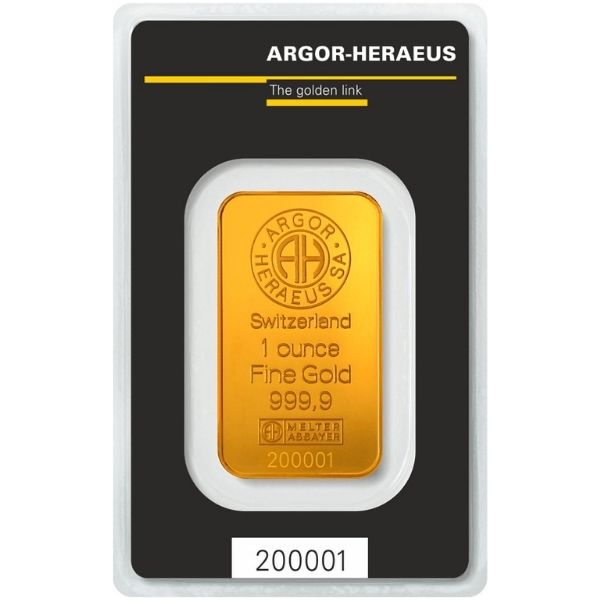
The main advantages of buying gold bars:
- Low Premiums. Because the cost to produce and design gold bars is considerably lower than coins, most gold exchanges are able to bring you gold bars at a price commiserate with the current spot gold price. This means that the best value when investing in gold typically comes from gold bar purchases.
- Weight Variety. Gold bars come in a variety of different sizes. Years ago, gold bars were only sold in large, industrial sizes to institutional investors. Today, retail investors can purchase gold bars in hundred ounce, ten ounce, one ounce, and even 1/10 ounce denominations! This provides investors with greater liquidity and control over their investments.
Benefits of Owning Gold Bullion
There are many benefits to buying and owning gold bullion. Regardless of the type of bullion you choose to buy, all forms of gold come with a few inherent advantages. In particular, hedging against the uncertainty of the world economy and the weakness of global currencies is a popular reason to invest in gold.
Gold Bullion Has a History of Steady Gains Over Time
We’ve hinted at a few of the other big benefits of owning gold earlier in this guide. In particular, investors often use gold to diversify their portfolio. There’s also a kind of inherent value to gold that other commodities might just not have. Gold has a long history of steadily gaining value. Gold itself is naturally a finite resource. It’s impossible to just print more gold, unlike fiat currencies, which can be artificially created infinitely.
A breakdown of some of the main benefits of buying and holding gold bullion:
- Counter inflation.
- Hedge against uncertainty.
- Historical safety.
- Diversify portfolio.
- Decreasing available supply.
There’s a reason gold has remained one of the most popular investment commodities in the past two decades. Warren Buffet himself has invested in gold! Whatever your reason for purchasing gold, we’ve got you covered with updated information on the current spot gold price and how to buy gold bullion.
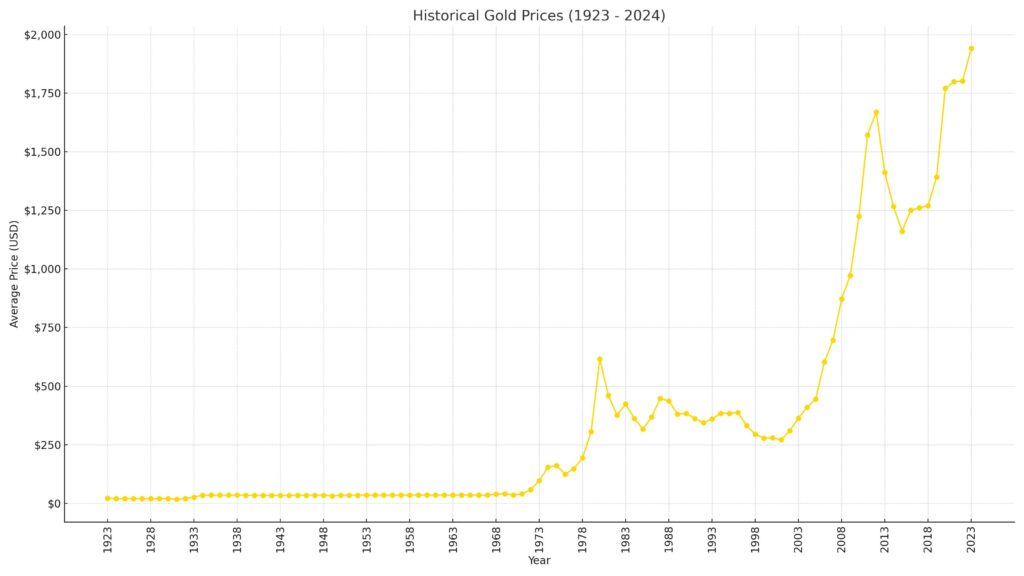
Take a look at this historical gold price chart. Over time, gold has had its ups and downs – but the time-tested commodity demonstrates a long history of consistent price appreciation.
Gold ETFs (Paper Gold) | An Alternative Way to Invest in Bullion
Gold ETFs are a unique way of investing in gold. When you buy a gold ETF, you’re buying a ‘stock’ in the current price of gold bullion. Unlike gold coins and gold bars, gold ETF investors don’t ever physically own gold. This method of buying gold comes with pros and cons. On one hand, not having to store or secure your bullion can save you money and allow you to purchase more of the precious metal. On the other hand, not physically taking possession of your investment makes you reliant on third parties in order to maintain your stock.
Gold ETFs and Gold Futures Contract Prices
Gold ETFs and gold futures contracts are two other options for investors looking to cash in on the price of gold. We’ll cover these types of gold investments more closely in their own sections. But as a basic introduction, both gold ETFs and gold futures allow investors to profit from gold’s price climbs without actually physically taking possession of the gold bullion. Futures are also a great option for investors who are comfortable leveraging their assets in order to maximize potential profits.
Gold ETF Minimums
Wondering how much you need to spend in order to get involved with a gold ETF or gold futures contract? We’ve got you covered. Generally, the answer is: it depends. Gold ETFs are the better option for investors who are starting out with a low amount of capital. Single ETF shares often cost under $100, and investors can potentially make thousands of dollars if gold’s spot price enters a period of bullish activity.
The Risk of Gold ETFs
Gold ETFs also prevent investors from taking on too much risk. An ETF stock functions much like a regular investment; if the price of gold increases, your stock becomes more valuable. If the price of gold decreases, gold ETF holders simply lose the monetary difference between the initial buying price and the current value of the stock. Given the historical price trends associated with gold, it’s also highly unlikely that any gold ETF truly goes belly-up and results in tremendous losses for gold ETF investors.
Gold Futures Contracts
Gold futures are a little bit different. Contracts within the futures markets often involve the potential exchange of 50-100 Troy Ounces of gold. This means that most gold futures contracts will cost investors an upwards of $50,000. The upside to this kind of massive investment, of course, is that it comes with the potential for equally massive gains. Investors who are particularly bullish about gold might even be able to leverage their assets in the gold futures market to try to make an absolute killing of a profit. Let’s take a look at two popular bullion exchanges where gold futures and gold ETFs are traded.
COMEX Spot Gold Price
COMEX is the largest trader of gold bullion futures in the world. A part of the larger CME, or Chicago Mercantile Exchange, COMEX allows investors to speculate on the future price of precious metals without taking physical possession of the meals. For those who are familiar with futures trading on the stock market, this concept should be relatively straightforward.
Gold Futures Contract Length
With futures, a trader agrees to buy a commodity at a given price on a given date. At COMEX, traders can choose from a variety of different contract lengths, ranging from one to several months long. If the price of gold goes up significantly, then the trader is able to buy it at a lower price than they otherwise would be able to. When the contract expires, traders can either execute physical delivery and take possession of the gold, or they can sell the contract and profit from the difference in price.
Advantages to Buying Gold Futures Contracts
One big advantage to buying gold futures is that it allows investors to profit from quite a bit more gold than they could otherwise afford. Although it varies from exchange to exchange, traders often pay just two percent of the price of the gold they’re purchasing upfront through a down payment. The disadvantage comes from the natural volatility of gold as a commodity. Gold futures allow investors to make significant profit with little upfront payment, but they also allow for massive losses.
Gold Futures Contract Length
With futures, a trader agrees to buy a commodity at a given price on a given date. At COMEX, traders can choose from a variety of different contract lengths, ranging from one to several months long. If the price of gold goes up significantly, then the trader is able to buy it at a lower price than they otherwise would be able to. When the contract expires, traders can either execute physical delivery and take possession of the gold, or they can sell the contract and profit from the difference in price.
Advantages to Buying Gold Futures Contracts
One big advantage to buying gold futures is that it allows investors to profit from quite a bit more gold than they could otherwise afford. Although it varies from exchange to exchange, traders often pay just two percent of the price of the gold they’re purchasing upfront through a down payment. The disadvantage comes from the natural volatility of gold as a commodity. Gold futures allow investors to make significant profit with little upfront payment, but they also allow for massive losses.
Do I own gold if I buy gold futures contracts?
If I buy gold futures contracts do I own physical gold? Not really. Most exchanges will execute physical delivery of the gold at the expiration date of the contract. If this is the case, you will then own physical gold. But in most cases, investors are only trading gold futures for the profits. They almost never actually possess the gold they pay for.
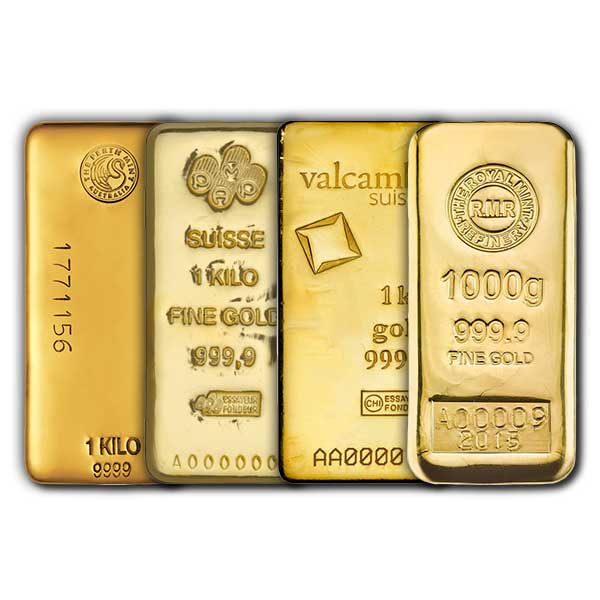
Investors use Gold Futures to Hedge Against Risk
Investors often use gold futures to hedge against risk. Provided that the price of gold remains relatively stable in its appreciation, gold futures can be a fantastic way to offset riskier investments, particularly those in the stock or cryptocurrency markets. Popular trading organizations often include gold futures as an example of one way investors can diversify their portfolios with a variety of exposure levels.
The current spot gold price on COMEX shifts frequently. We’ve included a convenient tool at the top of this page to help you monitor the real-time current spot gold price. The exchange updates its spot gold price consistently. It is especially important that gold futures traders remain up-to-date on the latest spot gold price.
NYMEX Spot Gold Price
The New York Mercantile Exchange is another popular exchange where gold is traded. Since 1872, the exchange has been one of the most popular places to trade commodities in the United States. NYMEX had an initial IPO as a publicly-traded company in 2006, but they merged to become a part of the large Chicago Mercantile Exchange two years later in 2008.
Are All Precious Metals traded on NYMEX?
Since then, both COMEX and NYMEX have been divisions of CME. Gold is not the only precious metal traded on NYMEX; silver, aluminum, and copper are also traded everyday on the popular exchange.
Gold Weight Calculations
The spot gold price, as we explained above, is calculated in the standard amount of a single troy ounce. However, it is always possible to take the spot gold price per ounce and convert it into the spot price for any amount of gold. How many grams are in a troy ounce of gold? How many troy ounces are in a kilogram of gold? There are about 28.34 grams in every Troy Ounce of gold, and there are around 35.27 ounces in a kilogram of gold.
The premium over spot you pay for a gold product might also change based on the weight of the item. Most mints and exchanges offer a discount on the premium of a product if it exceeds a certain rate. Generally, the heavier your gold product gets, the less expensive a premium you will be required to pay.
Taxes on Gold Investment
Investing in gold is a risky endeavor for more reason than one. Even when the price of gold climbs and an investor’s holdings become more valuable, they should still be putting aside money to pay taxes with. In the past two decades, the U.S. government has provided more regulatory clarity on the taxes required of long and short-term gold investors. To figure out how much you owe in taxes for a given gold purchase, you first need to figure out what type of gold you’ll be buying.
Taxes on Gold ETFs & Gold Futures Contracts
Gold ETFs and futures contracts are taxed using both long and short-term capital gains models. For long-term holdings, this tax rate is 15%, and losses can be deducted on your yearly tax return. Short-term rates are more taxable; you’ll need to shell out 35% of your gains to the federal government.
But what about physical gold? Is physical gold taxed? Certainly. Physical gold is also subject to a capital gains tax, especially if you hold onto the gold bullion for more than a year. Tax rates will vary based on several factors, including the precise nature of your investment, your income, and more. If you’ve bought a sizable amount of gold, we recommend seeing a tax specialist to determine what you might owe. Taxes on capital gains are generally only due when the sake of the asset occurs.
Frequently Asked Questions About the Current Spot Gold Price
Here’s some answers to the most popular questions new gold buyers have about the gold buying process, including the current spot gold price.
Q: Do gold bars from the same mint have a difference in cost depending on their size?
A: Typically, larger sizes of gold products will be sold at a price closer to spot than their tinier counterparts. This is typical within the commodity market; people selling goods often offer some sort of bulk discount in order to secure more sales.
Q: How much money do I need to buy gold?
A: This depends on a few different factors. The type of gold investment you’re making, the quantity, and your method of payment all factor into the total cost for a gold purchase. You can actually buy fractional denominations of gold at an extremely low cost. Gold ETFs can also be purchased with relatively low upfront cost.
Q: Does the spot gold price affect my gold IRA?
A: Absolutely. You should know that investing in gold for your IRA comes with the same kind of risk as investing in physical gold bullion. If the price of gold goes down, the value of your gold IRA will also decrease. But if gold continues to become more valuable, then your gold IRA will gain value as well.
Q: Are gold stocks and gold bullion calculated from spot gold price?
A: Stocks, ETFs, and gold futures are evaluated based on the spot gold price. Different exchanges track the spot price of gold, but this number should remain consistent across nearly every global exchange.
Q: Are gold premiums a fixed dollar amount or percentage over the spot gold price?
A: Premiums are almost invariably calculated using a percentage over the spot gold price.>